Gitwright
A free Git client for Mac, Windows, and Linux
Stage files, hunks, and lines. Review history. Resolve conflicts. It uses the git already on your machine.
Free. No account, no subscription.
Free to download and use.
Features
The Git work you already do, in a desktop client.
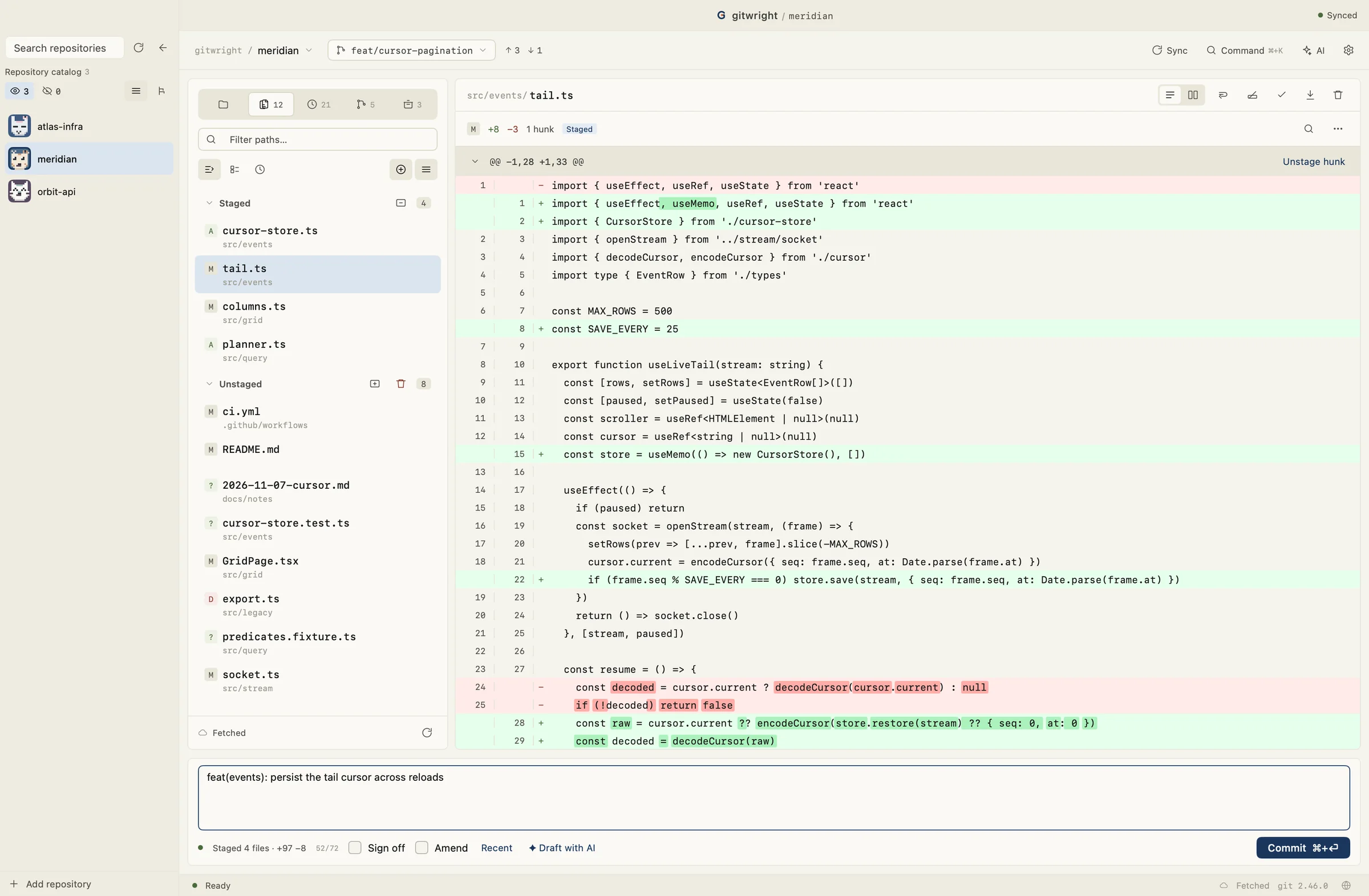
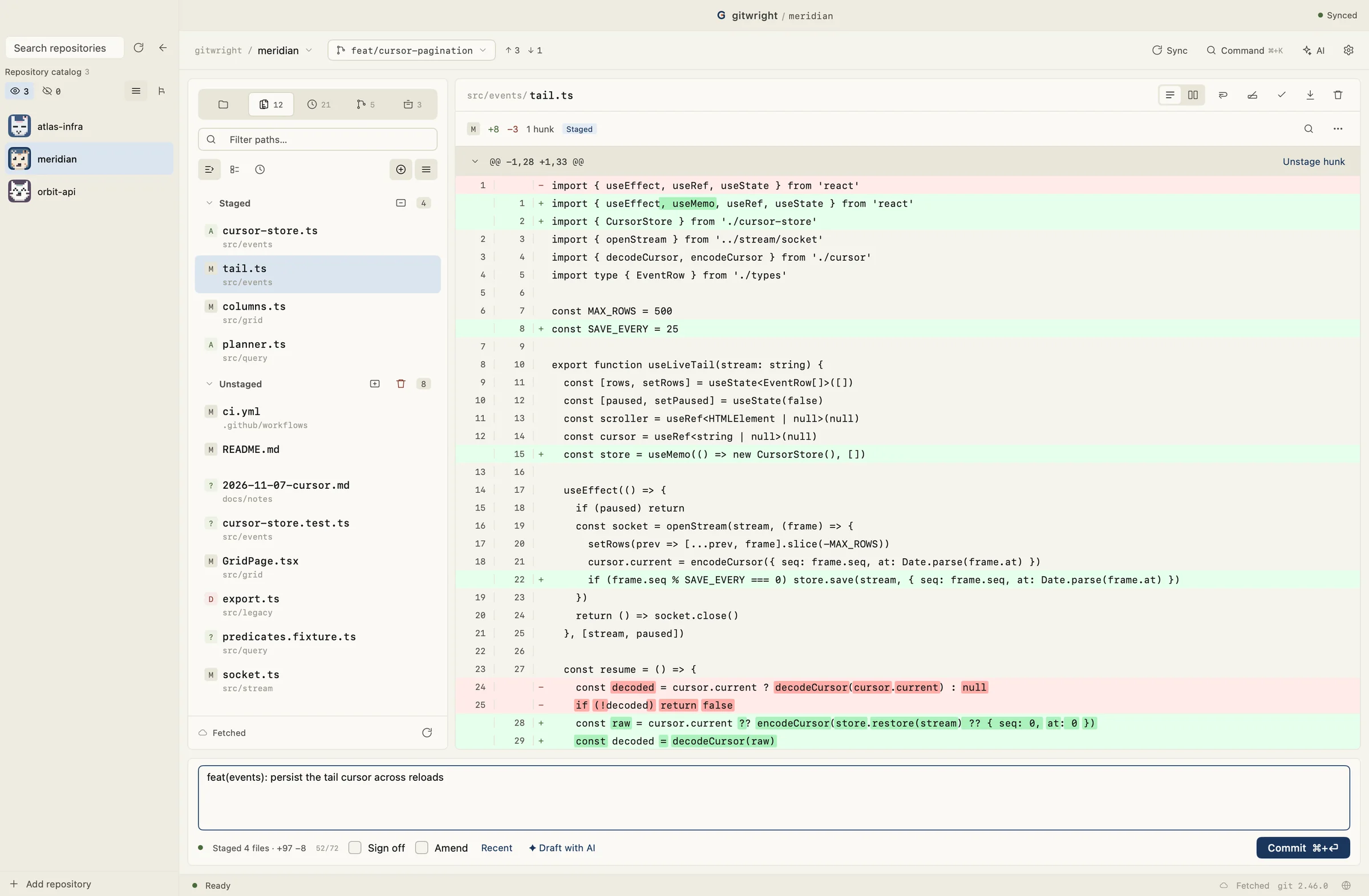
Stage files, hunks, and lines
Choose exactly what goes into the next commit. If the file changed after you reviewed it, Gitwright refuses to write the index.
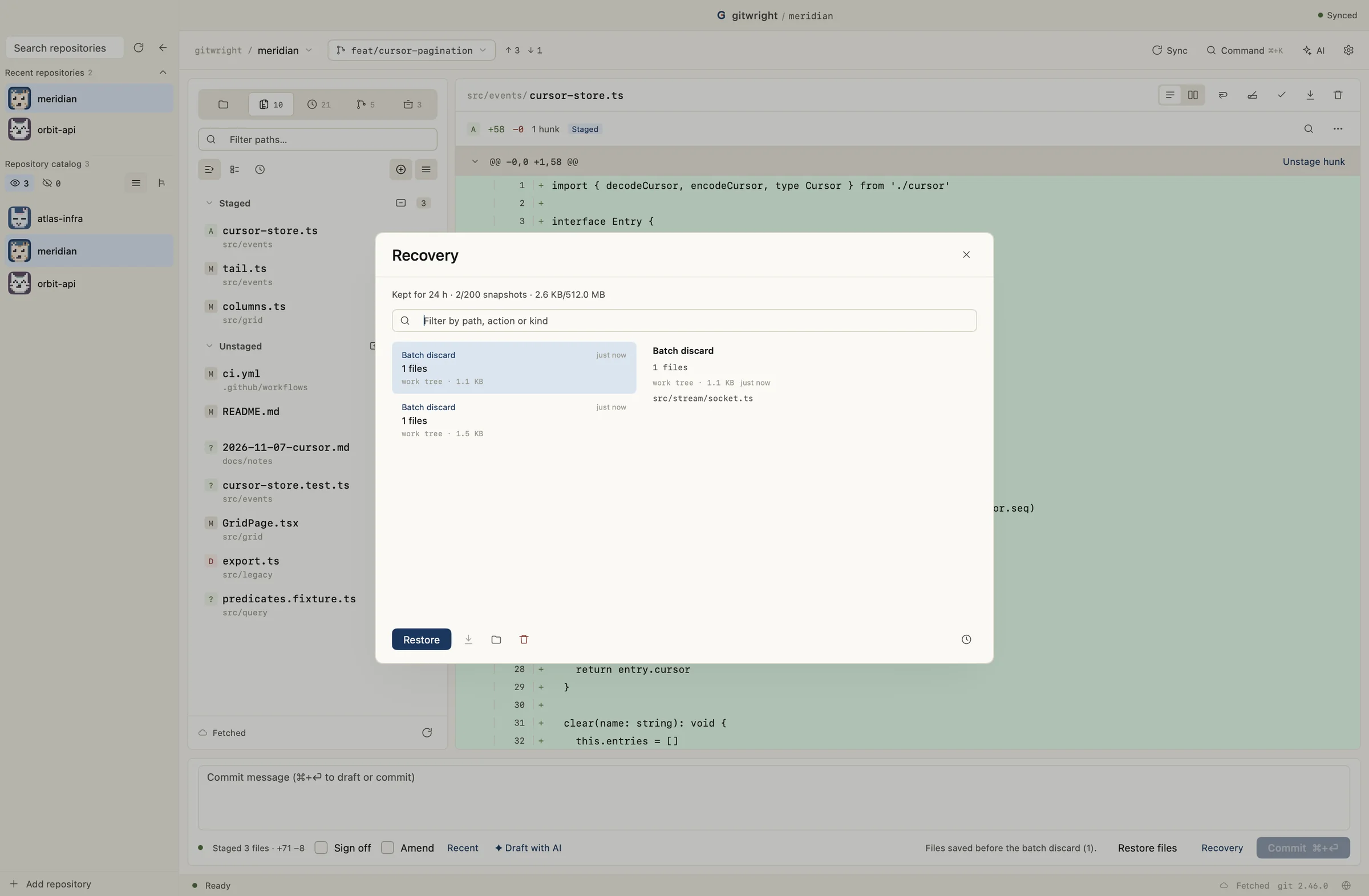
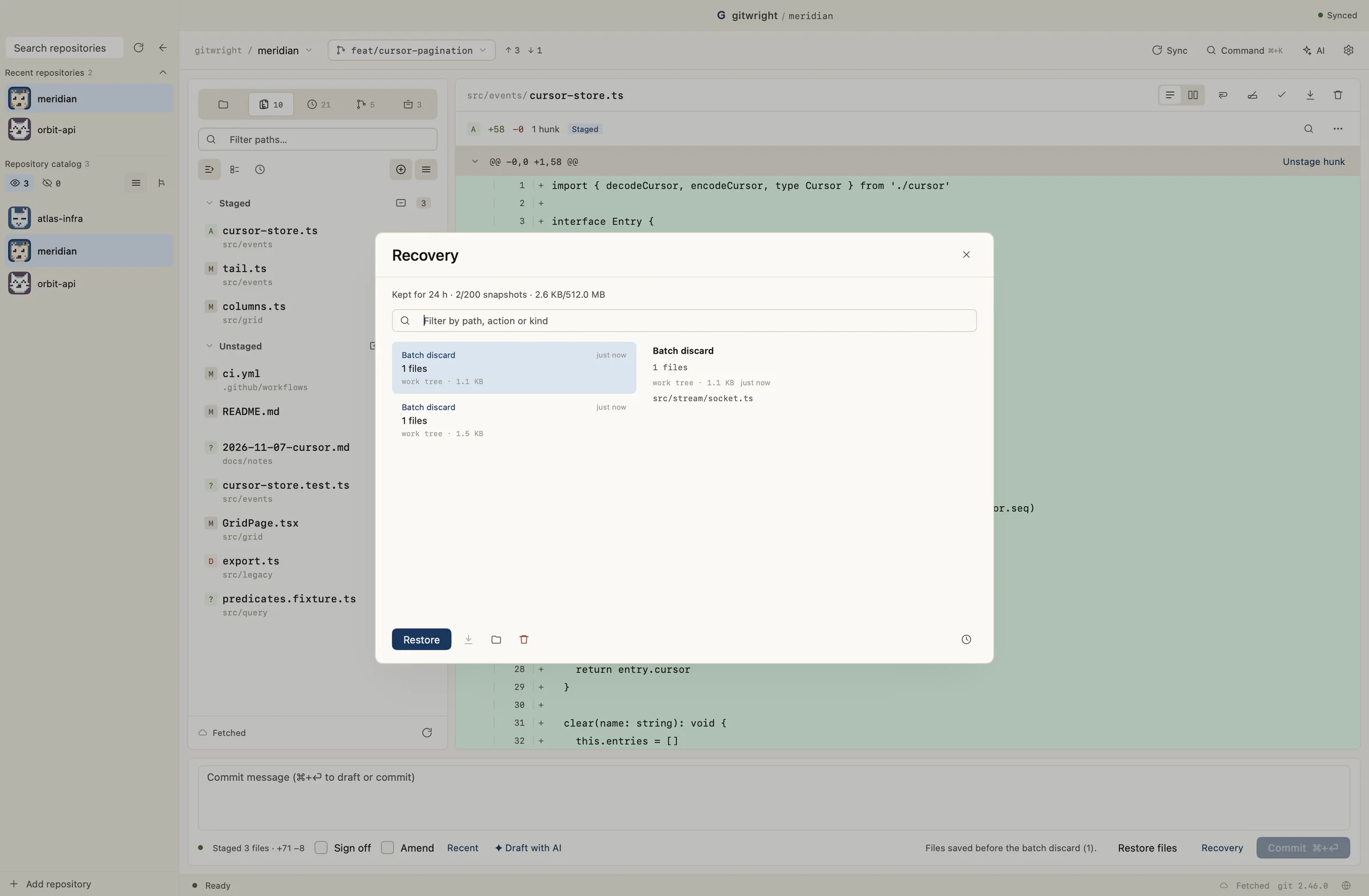
Restore discarded work
Discard, hard reset, force-with-lease, stash drop, and abort keep a snapshot first. Restore will not overwrite newer edits.
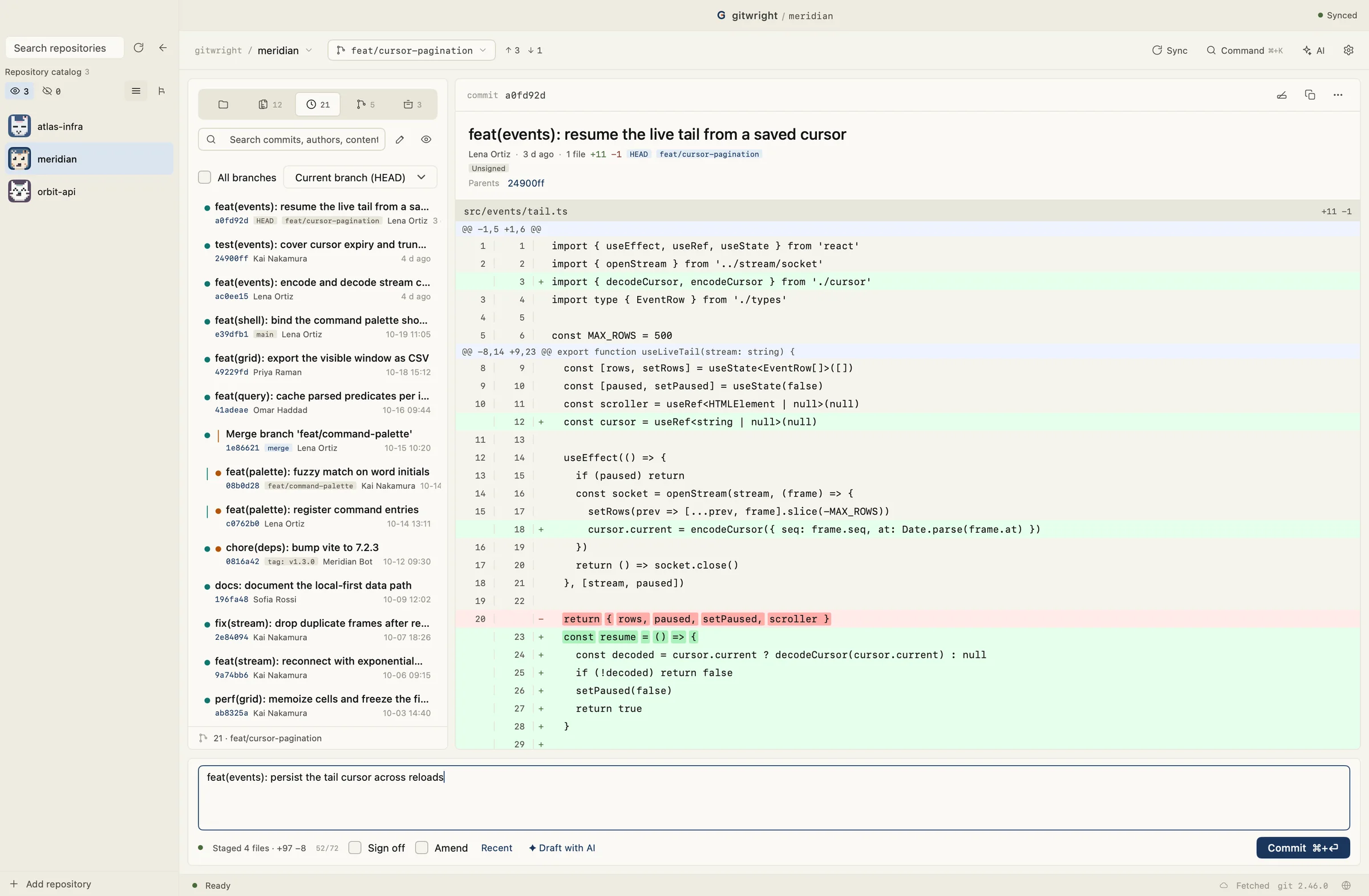
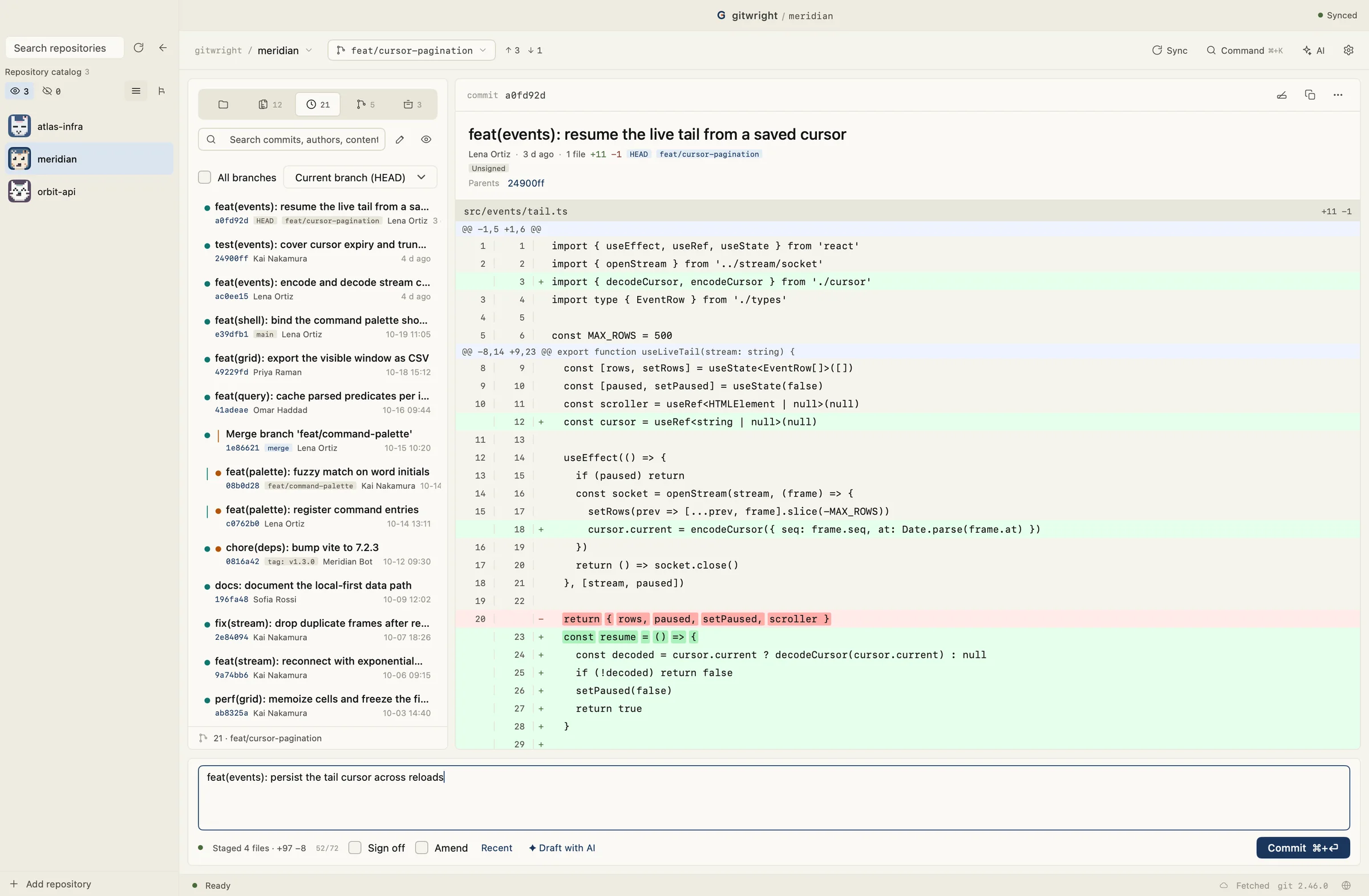
History and blame
Browse commits, inspect a file's history, and see who last changed a line.
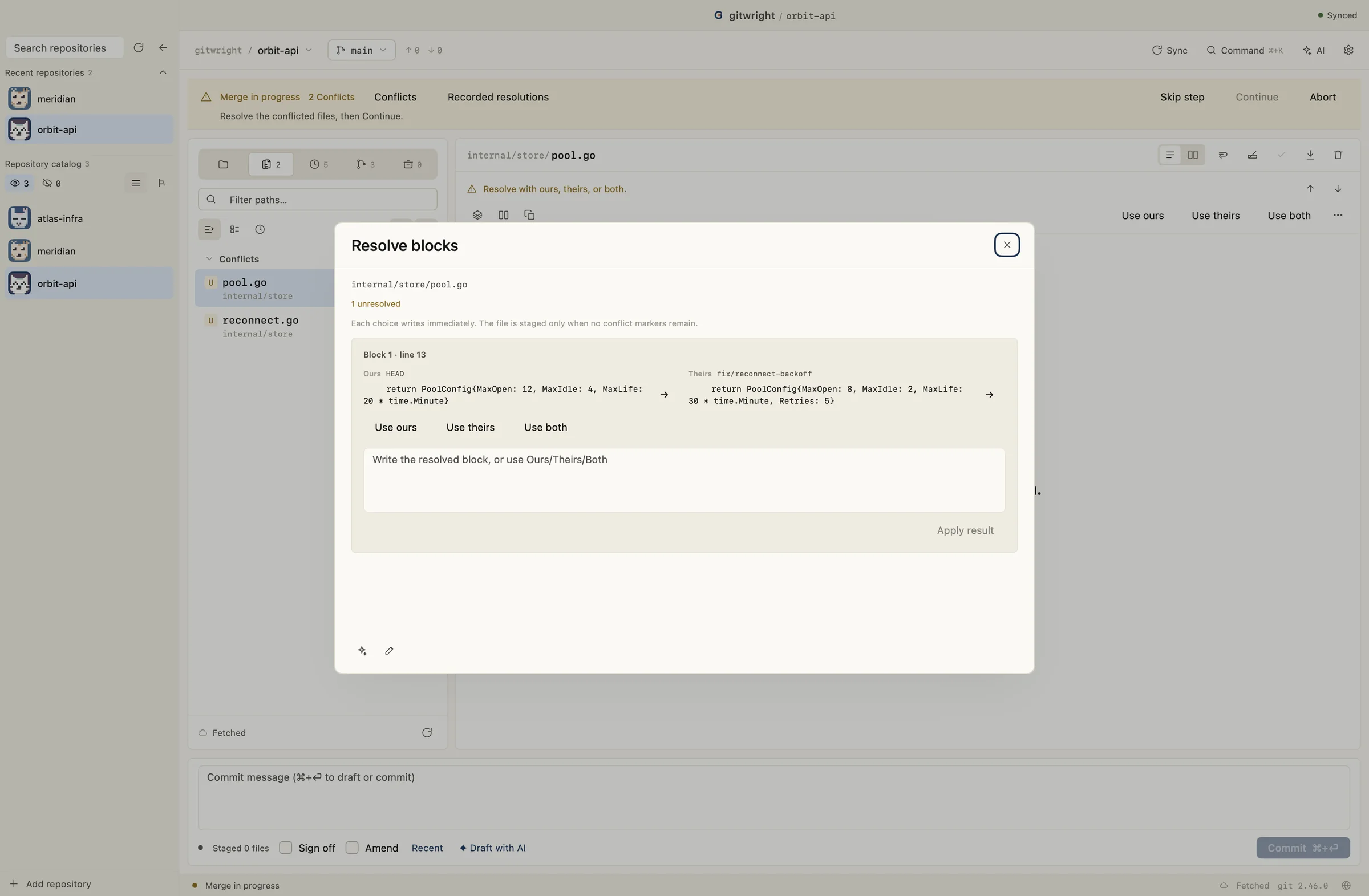
Merge conflicts
Pick ours, theirs, or both for each conflict block, edit the file, or open a three-way editor.
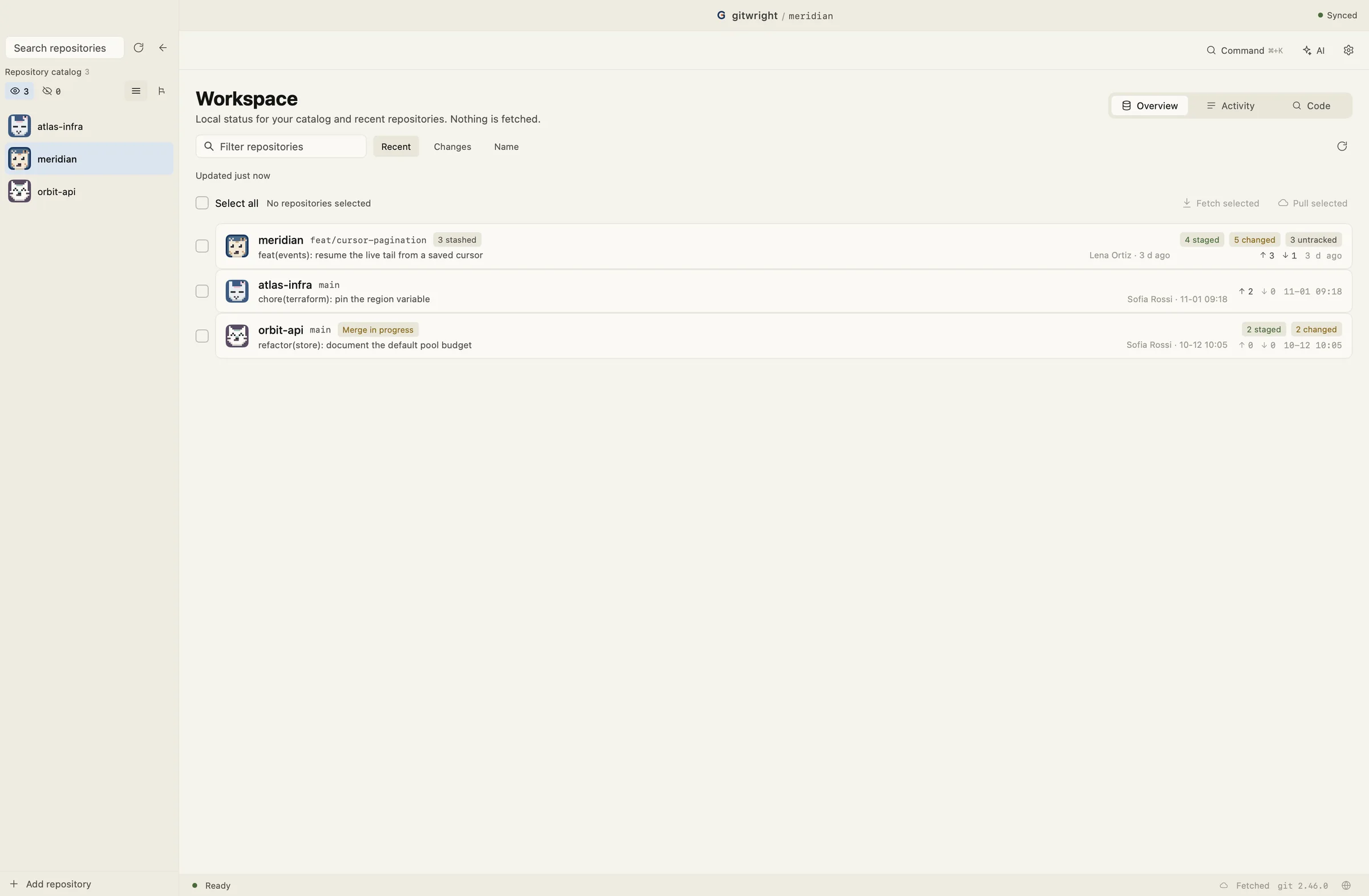
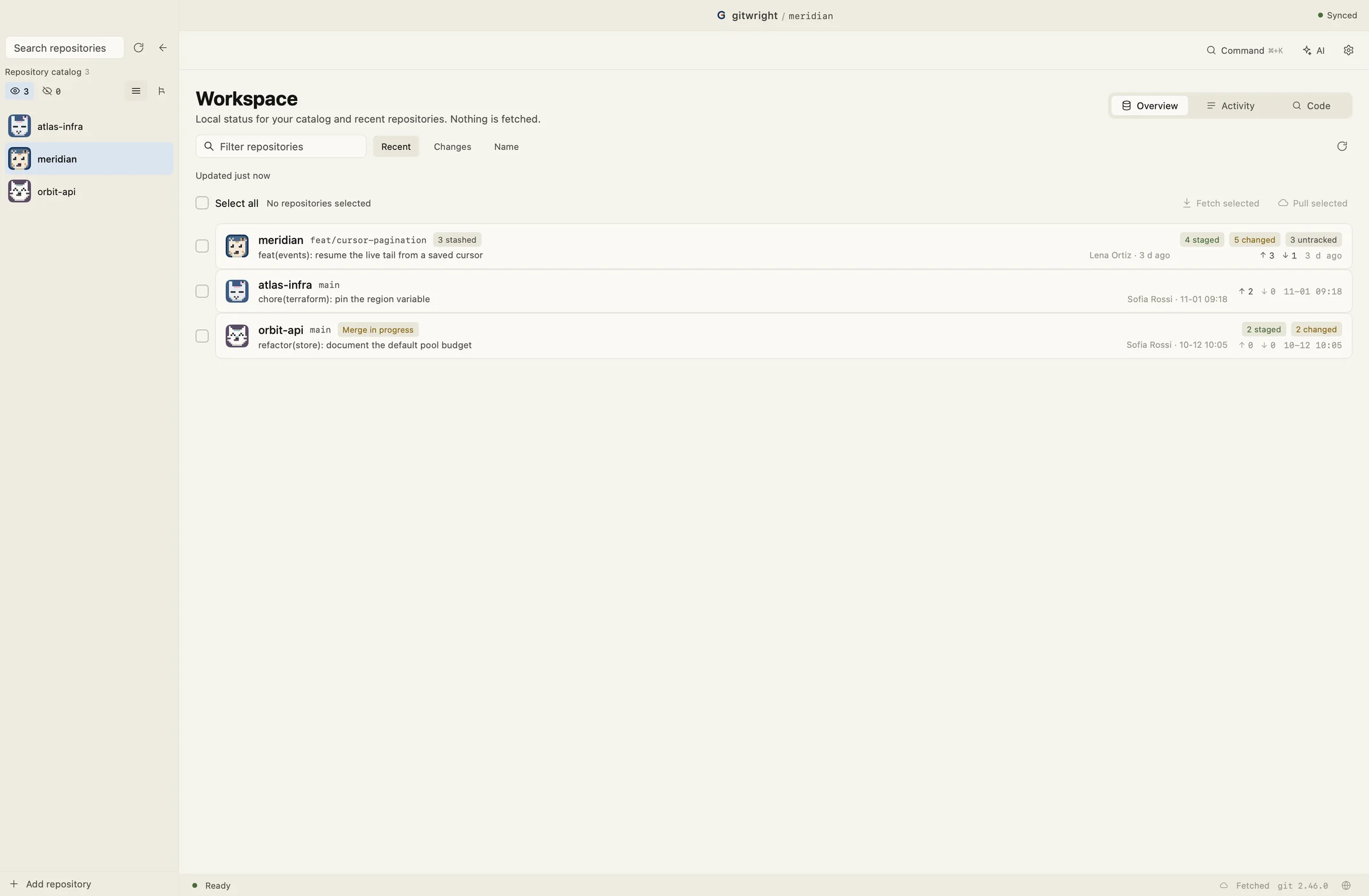
Multiple repositories
Open local repositories from one workspace and switch between them.
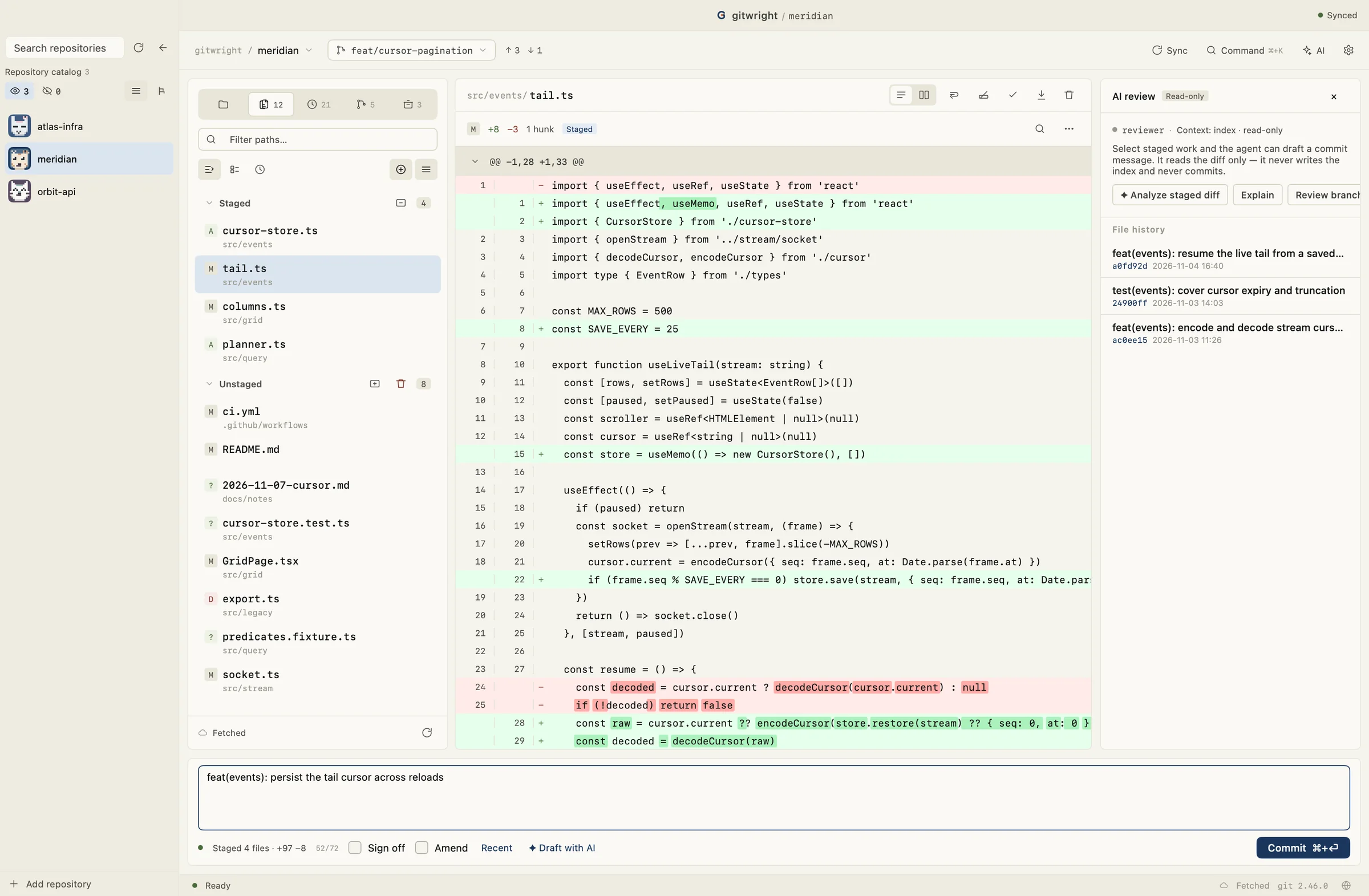
Optional AI
Draft a commit message or explain a diff. Suggestions are applied by you; nothing is committed automatically.
Download
macOS 12+ arm64 dmg and Windows 10+ amd64 installer. Linux builds are cross-compiled for community testing; the Windows installer is not code-signed yet.
Windows builds are not code-signed yet. The macOS build is Developer ID signed and notarized.
FAQs
Frequently asked questions